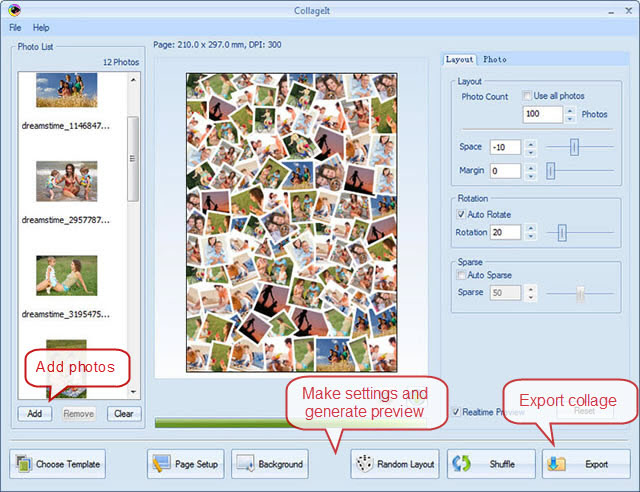
Click Add button in Photo List group, select photos in the dialog box that opens, and add them to the file list.
Make settings in Layout group, and click Generate Preview button, the collage preview in the middle of window will be refreshed in one second. You can also adjust the crop area by selecting photo and dragging mouse.
Click Save button, save current collage as image files, such as BMP, JPEG, GIF, PNG, TGA..etc.
© Copyright PearlMountain. All Rights Reserved. Online Logo Design